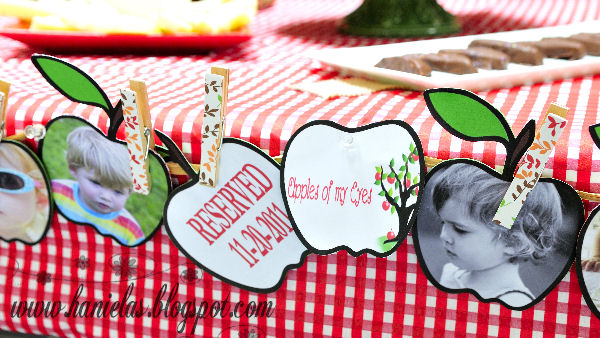
Photo Banner
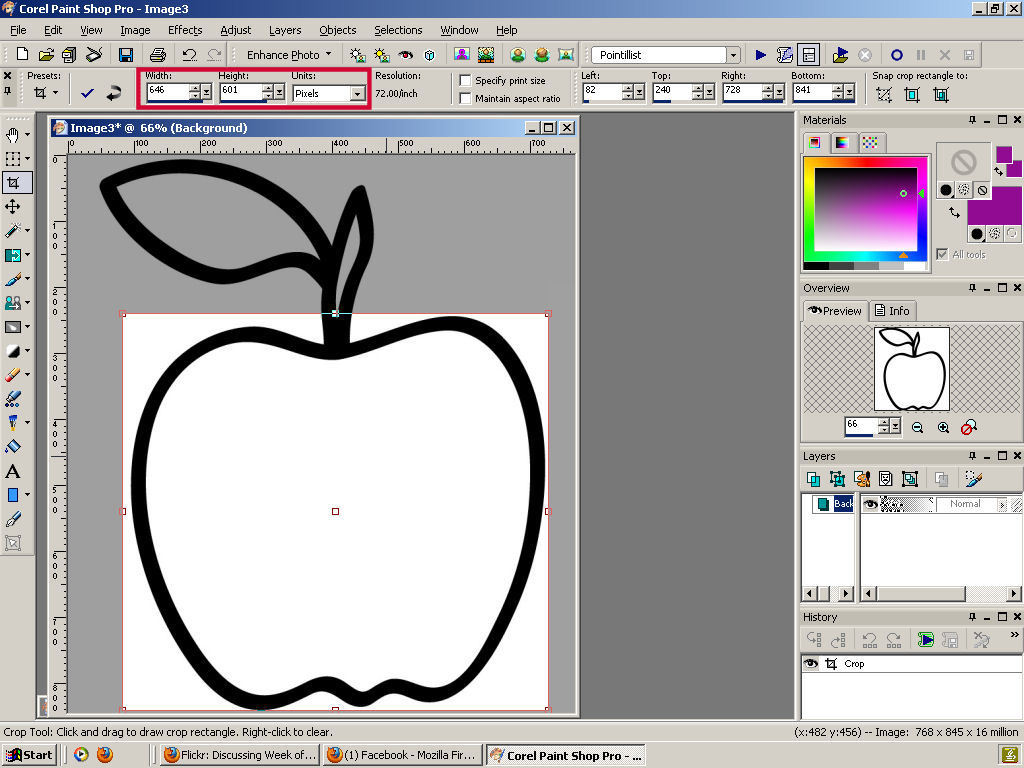
2.I started cropping all of the images I wanted to use for my banner, I used the exact height and width that I got from the first step, make sure you check maintain aspect ratio.
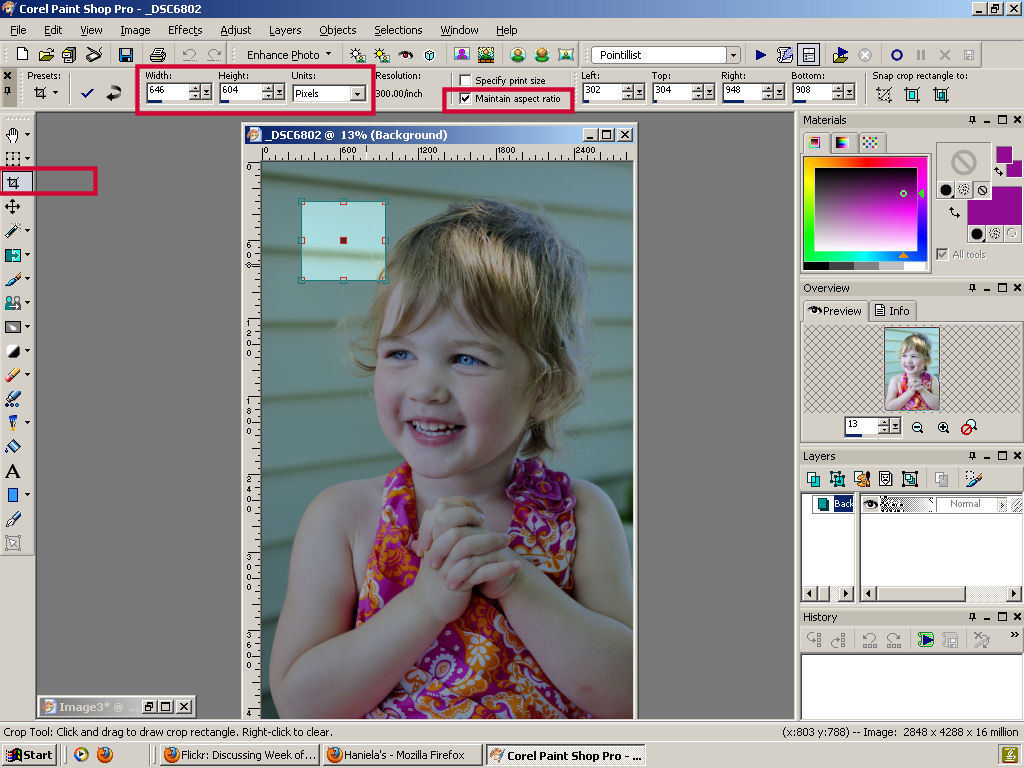
3.Crop the image
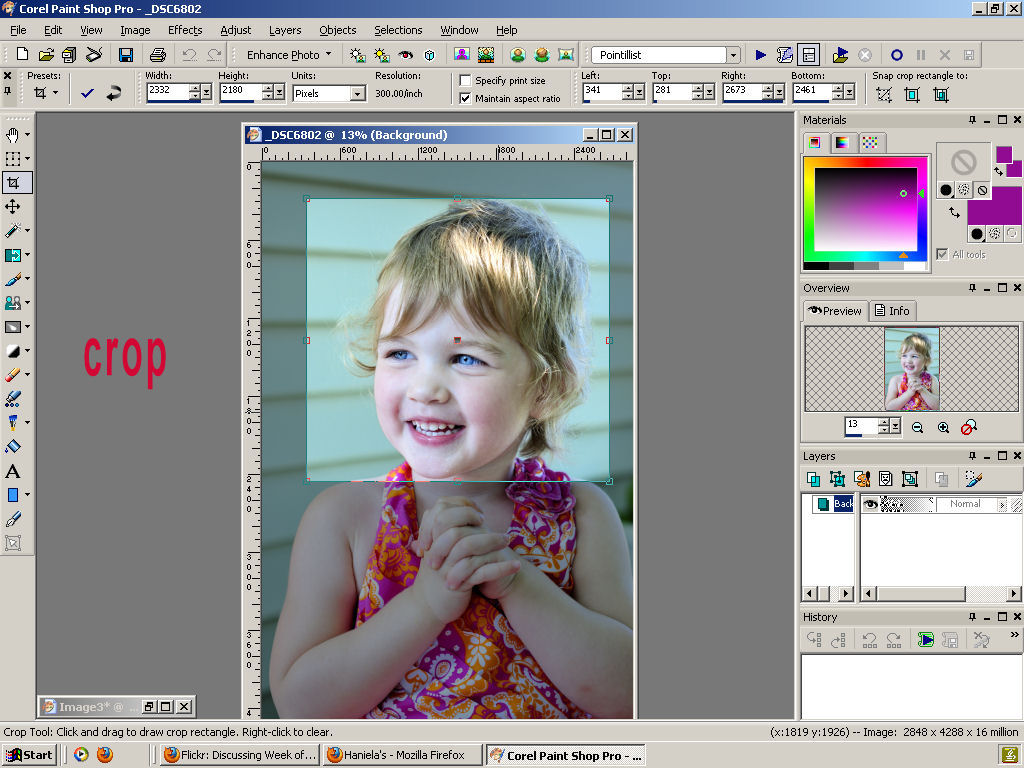
4.This is what my cropped image looked like

5. Using a magic wand select the inside of an apple image
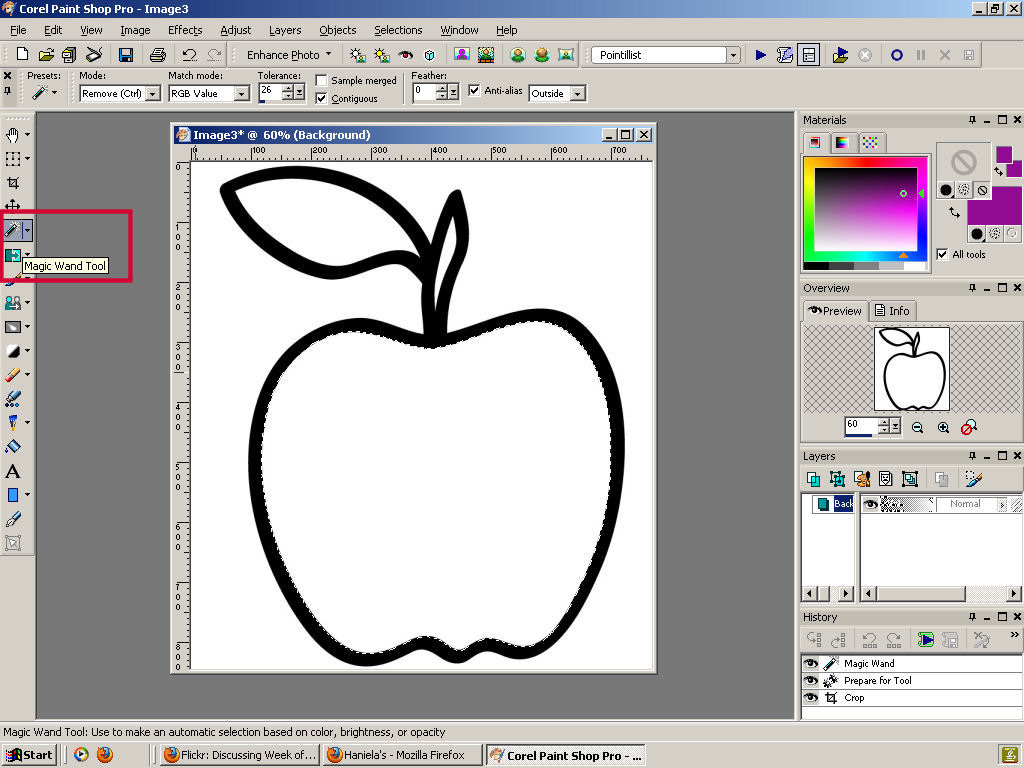
6. Copy the photo image(highlight cropped image and hit copy)
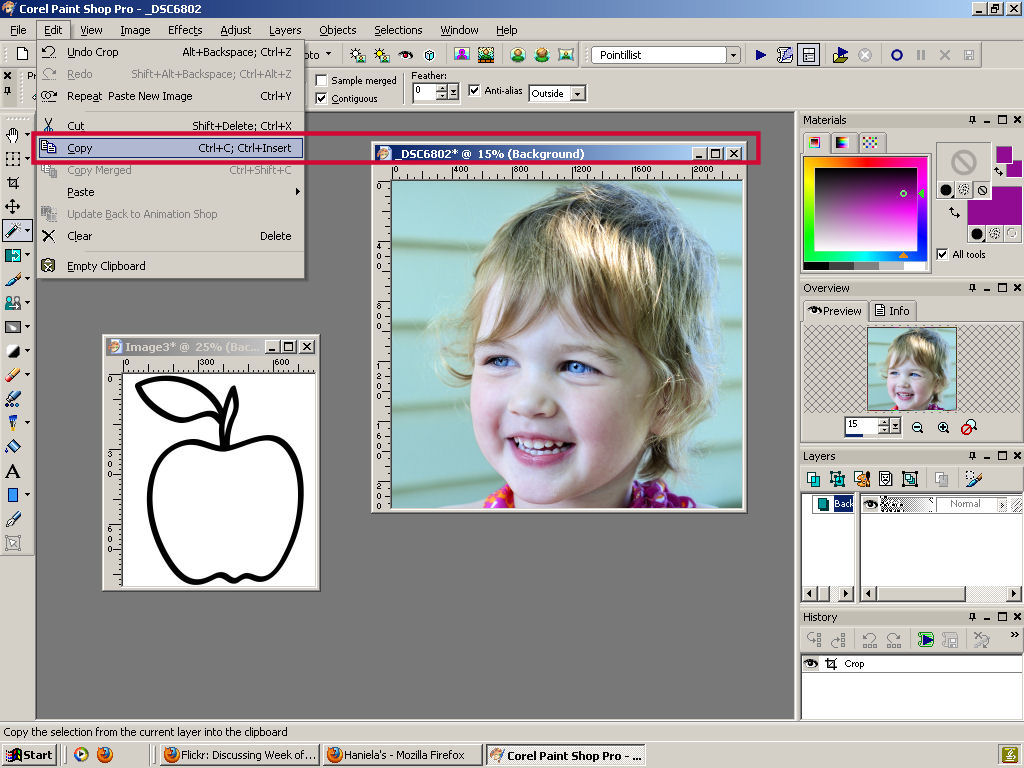
7. Highlight an apple image and click on paste into selection

8. Cropped photo should now be filling inside of the apple image

9. Repeat the same with leaf and the stem, using the magic wand, select the stem, then choose green color and with the flood tool flood leaf with green color and repeat with the stem filling it with brown.


11.Last thing I made were decorating wooden clothes pins
Make Decorative Wooden clothes Pins
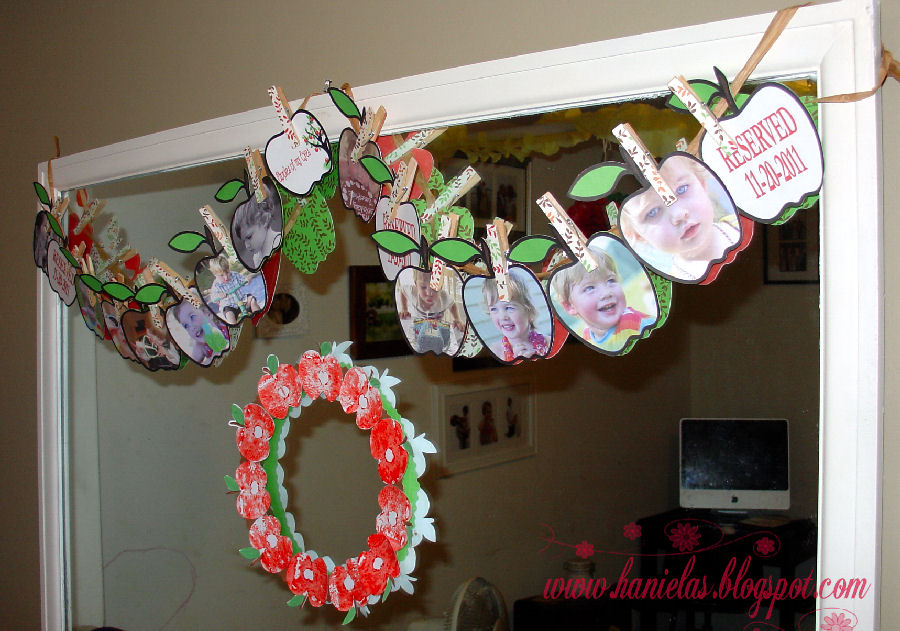

It takes a bit of time but this pretty photo banner is really worth the time, it is effective and it can be done in variety of shapes and styles.

Hi, I’m Hani
Welcome!
Thank you for visiting Haniela’s. On my blog, you’ll find delicious sweet & savory recipes made with simple ingredients. Why not start a new adventure? Discover a world of cookie decorating with my step-by-step tutorials.

Hi, I’m Hani
Welcome!
Thank you for visiting Haniela’s. On my blog, you’ll find delicious sweet & savory recipes made with simple ingredients. Why not start a new adventure? Discover a world of cookie decorating with my step-by-step tutorials.